

ProdigalFrog
A frog who wants the objective truth about anything and everything.
Admin of SLRPNK.net
XMPP: [email protected]
- 136 Posts
- 496 Comments
 2·3 hours ago
I actually just stumbled across this video of a modern software renderer that can leverage modern multicore CPU’s, and it’s pretty impressive.
Sure, and they were back in the day too. Games like Quake (and others around that era) had the option of rendering in software using the CPU if the user didn’t have a GPU. On slower systems it wasn’t a very enjoyable experience, but an OG Pentium at 75mhz was enough to make it playable.
Nowadays modern games don’t usually have software renderers built in, so it’s difficult to know how much graphics you could push with purely a modern CPU.
 1·14 hours ago
That may be the case, but it seems to come down to the same chicken & the egg problem that most proprietary vs. free software has had to overcome. Proprietary software usually can offer a smoother UX because there isn’t enough development of the FLOSS alternative, which is caused by a lack of users (and thus the potential pool of developers and financial donors) to motivate that UX becoming more polished.
For most, the lock-in of proprietary software was tolerable because it was at worst an inconvenience at times, or only incurred a semi-reasonable cost. But we’re seeing that as investors demand enshittification, staying in those comfortable lock-ins will inevitably result in further pain down the road as the user is squeezed further and further with more invasive DRM restrictions, more features being locked behind paywalls, and intolerable subscriptions with ever increasing monthly dues.
At some point people will need to choose between continuing the use of lock-in software for continued comfort in the short term, or biting the bullet and developing/using the less comfortable FLOSS option to encourage it to become comfortable by dog-fooding it. We can see when that finally happens, it is able to out compete the lock-in options to the benefit of us all (Blender, Godot, and Krita are good examples).
But that’s just my 2 cents.
 2·15 hours ago
Getting involved at a local Food Not Bombs not only eases suffering, it builds community and helps people connect with like minded folk and hopefully organize even further from there.
I’m sorry for all the people who will be inconvenienced by this, but personally I hope this may have a positive outcome by hopefully ending the stranglehold NI has on sound font libraries (kontact), and increase adoption of open-source alternatives (SFZ).
NI was abusing their position as a virtual monopoly on soundfonts.
Personally I’d recommend getting either a used Google pixel 8 or 8a, or a new pixel 9a and installing GrapheneOS on it, which will give you the best possible security and privacy, as well as the longest security support of almost any android phone (7 years from point of release, pixel 9a will be supported until 2032).

 13·2 days ago
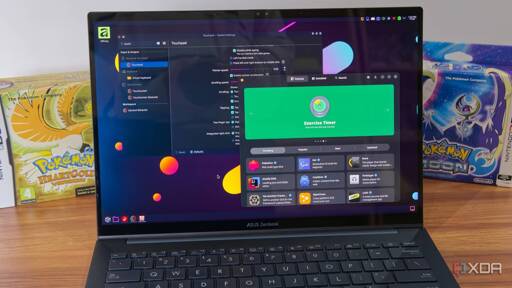
I was getting that AI vibe a bit as well, but there are parts that also felt human enough that made me question my gut feeling. I’m not terribly familiar with the XDA site itself, but having looked it up just now, they seem to cover AI a lot in their articles in a positive light, so I’d say it’s quite likely the writer used AI to write it, and then tweaked it a bit.
Knowing that, I’m considering deleting this post…

 34·3 days ago
Interestingly, in r/firearms, the consensus is that this was an execution, and even self professed conservatives were saying this is terrible, with a couple saying they have completely lost trust in trump for how blatantly they are lying about it.
 7·4 days ago
Welcome to the Fediverse! Glad to have you with us ^^
 19·7 days ago
Here are concrete steps we can take to combat the regime with our last non-violent pathways (the titles below expand if you click them).
Learn First Aid! ⛑️
The future us likely to be violent, and It extremely important to have the skills to be able to keep yourself and others alive if they get hurt. You can never have too many medics.
Tacticool Girlfriend provides a great introduction to building a personal first aid kit, called an IFAK, which can deal with things like bullet wounds and other serious bleeding wounds. I also want to emphasize her recommendation of only buying medical gear from reputable sources (not Amazon!), such as North American Rescue to avoid fakes that could cost you your life.
But you’ll need to learn how to use that equipment, too. The best resource for that is to take a local Stop The Bleed class, which are pretty widely available in most places. They may cost a small fee, but can also sometimes be free. Alternatively, if you cannot access a local class, this video by PrepMedic will give you a solid understanding of how to use Tourniquets and Gauze for wound packing.
Injuries are less harmful if they are tended to early. Learning first aid can help conserve resources when healthcare becomes unaffordable. Having several medics in case of harm by police is an extremely powerful morale booster during a protest that may become a police riot. When you become comfortable with the basics of first aid, riot medicine is the next suggested step.
Establish or join local Mutual Aid networks ✊
If you haven’t already, get to know your neighbors. Mutual aid is a willingness to support and grow your community. This can include informal networks through friends, tenant/renter organizations, solidarity groups, and industrial unions.
These are groups using direct action to solve each other’s problems. Building strong communities makes it difficult for fascism to take root. The actions of the government are going to hit every community hard, and the ones who build trust in each other and work together are most likely to survive. We’ve been building a list of resources in [email protected] to help you on your way. Also check out this handy guide to find existing groups in your area.
This isn’t only for your own community protection. Your ability to organize today will change the political landscape tomorrow. When revolution occurs, the social organizations that show the greatest resilience through the regime are the ones typically calling the shots when the dust settles. When it comes to elections, get out the vote drives are useless if most of the voters are fascists. At some point, you have to do grassroots political education if you don’t want fascist candidates winning elections. Mutual aid networks are excellent forums not only for teaching each other good political ideas, but demonstrating them in practice.
Join a Union and Prepare for a General Strike! 💪
The most effective non-violent action we can take is preparing and organizing for a General Strike.
The country would be brought to its knees if suddenly deprived of profit and labor. That tactic was extremely effective in Chile in 2019, and had they not fallen for the trick of liberal reform, they would’ve had a successful revolution on their hands with virtually no bloodshed.
If you aren’t in a union (or even if you are, it’s worth dual-carding), consider joining the IWW to unionize your workplace (bonus: you’ll get higher wages, better benefits, and more time off if you succeed!) to strengthen a general strike if we manage to enact one, as most unions have a strike fund that can supplement your income during a general strike to make it more financially bearable (you should also save as much money as you can reasonably do, so it can also be used to keep yourself afloat during a strike).
And for our international friends, you should join one as well, as fascism is gaining momentum globally. If your country isn’t listed below, just contact the IWW directly in the link above, and they’ll help you set up a new local branch.
Adopt Security Culture and Digital Camouflage 🛡️
Sometimes benign seeming efforts can turn into unexpected personal data collecting traps. Like an obscure website for exchanging contact info with other students turning into a global ad-tech surveillance network (Facebook), or innocent seeming online personality tests being use to harvest character profiles. Even Etsy, Reddit, Tinder, and Duolingo are feeding information to US Government Agencies like ICE.
Security culture is commonly used to describe the general awareness of such potential traps and how it can affect groups or entire communities. This goes beyond mere individual privacy efforts, as without joint efforts these often fail to work.
Especially in activist circles, security culture is paramount. For opsec reasons not everyone in the group might be aware of what clandestine efforts others are involved in, but with a general security culture many potential data leaks can be avoided.
Movements are made by the volume of their participants, and the easier and less dangerous it is to participate, the more people will get involved. As more people get involved, individual involvement becomes even less dangerous, creating a virtuous cycle.
We’ll start it off with some General Advice:
- Mentally wall off personal uniquely identifying info from your online presence, actively build a habit of opsec so that withholding information is your default mental state
- Be careful about who you meet online
- Use different, unrelated usernames, passwords & emails for every account. And try not to connect to those accounts with your real IP address (use Tor or a VPN)
- Be mindful that anything done online leaves a trail
- agents provocateurs may seek to find patsies willing to perform an ill-advised illegal activity in order to legitimize police repression. If someone is trying to pressure you, especially if you don’t have a long and proven history with them, be extremely wary.
For a full guide on what encrypted communications platforms to use, and how to stay off the radar, read the Digital Camouflage section within the Monthly Meta post here (you’ll need to scroll down. I’d add it here, but it won’t fit in this comment).
I had the same thought regarding modern screen sizes. And since I rarely need extra width on a 16:9, the I can keep the side bar quite thick to make the buttons easier to click, while making the top bar thinner to maximize vertical reading space on a browser. With the Time/Date/Weather all positioned in the middle of the top bar like Gnome defaults to, Start Menu on the left, and notifications on the right, it’s actually pretty slick looking.
Ah, that sucks about the window position thing. I usually keep my second monitor off, so I haven’t noticed that issue yet. From what I recall, KDE can remember window positions under X11, but not quite yet on Wayland (though there is also an addon that adds that functionality under Wayland, which might be more polished than the one for Cinnamon).
 9·9 days ago
I figured it would end up like this. There was no way they would ever tolerate what Rojava was doing, and all those calls for unity from the new Syrian state were full of shit.
Yeah, I get what you mean. When I ran KDE, I liked to have a tiny notifications/clock bar at the bottom right of the screen that would autohide, and an icons only application bar on the left, but since cinnamon only allows desktop bars that stretch across the entire screen, I’ve had to adapt to a more Unity like layout where I have both a top bar and a side bar. Though at this point I’ve adapted to it to the point where I think I’ve ended up preferring that setup over my old one :p
I also wish that Cinnamon hadn’t waited so long to start working on Wayland, though hopefully that’ll be ready in a couple years or so.
Still, as you say, everything mostly just works without any issue, so it’s hard to justify switching away.

Only downside is Debian 13 will likely forever be stuck with KDE 6.3.6, which has some noticeable bugs on my hardware that make Cinnamon more appealing for an LTS distro.
KDE really benefits from distros that keep it more up to date, to the point where even the KDE devs suggest avoiding KDE on Debian.
 0·10 days ago
From what I recall, I didn’t really enjoy using the gravity gun all that much since bigger objects had a tendency to clip terrain if they weren’t aimed quite right, and thus miss the enemy I was aiming at, which prompted me to switch back to the other weapons to finish off a gunfight. Admittedly that might’ve been just a me problem, and others had more success using it (I know the sawblades with the gravity gun were quite accurate and easy to use in ravenholm, but I don’t think they show up much after that area).
I felt like most of the game doesn’t really give you enough ammo with the non-standard weapons to really use them outside of one or two bigger fights, then I’d be back down to the smg, pistol, or shotgun (which I also felt was a little under powered unless you used the alt fire, but that chewed through ammo too quickly to be viable most of the time).
As someone who hates open-world ubisoft style games, I’m nevertheless not much of a fan of HL2 either. I tried it multiple times at different points in my life and each time found it to feel like a slog that I end up giving up on a few hours in.
I enjoyed the 1984 aspects of the world at first, but I ultimately can’t get past how bullet spongy enemies are. Virtually every weapon feels extremely impotent except the revolver, which has very limited ammo. I began to dread every encounter with enemies because it rarely felt fun to fight them.
On my last playthrough I cheated and gave myself infinite revolver ammo, which helped me get farther than before, but even then I was struggling to push onward after a certain point, just because it felt like endless waves of enemies being thrown at me with some mildly enjoyable physics puzzles tossed in between them.
Never felt a connection with any of the characters, and without that the gameplay itself just becomes repetitive to me.
Glad you found it helpful! Though for people new to this, depending on their tech savvyness, less info might be more.
An average user doesn’t really need to know exactly how Lemmy/piefed work to actually use it effectively, and depending on how interested they are in learning how things work, the longer explanation I gave may be off-putting to some people, or make it seem too complex.
As an example; I’m not sure most people actually know how email works at all on a technical level, they just know that if they log into their Gmail and put the right address for the person they’re trying to reach, everything works. They may not even understand that the @whatever.com part means their email is being sent to a totally different server (if it’s not also Gmail) being hosted by different corporations somewhere else in the world, or how exactly an email is shuffled across all the different ISP’s, cabling, repeaters, etc. Explaining the details of all those things would make email seem horribly complex and off-putting to many. Without any of the that knowledge, as long as they know just the steps to accomplish what they want, all is well.
With Lemmy or Piefed, an equivalent could be just sending them a link to a known reliable general instance (Piefed.social would be a good choice) and telling them to create an account there and to use it just like they would reddit. For the most part, that’s all anyone really needs to know to have a pretty good experience. They may wonder why different users have different domain names at the end of their name, and if they ask you could explain further, but they’ll still be able to navigate around, comment, find communities and all the rest without knowing, which should lessen the feeling that it’s complicated.
Lemmy, Piefed and Mbin are all entirely different and unique attempts at creating a self-hostable software package for a reddit-like website. In the same way that Reddit was trying to be like Digg, but with it’s own codebase starting from scratch.
Despite using different codebases, Lemmy, Piefed and Mbin are all compatible with each other, like if you could leave comments on reddit threads from your Digg account while on Digg.
The reason they can talk to each other is they were all built with one thing in common: at the core of them is something called the ActivityPub Protocol, which in simple terms means the way they send messages, make posts, etc, are all using one standard, so they can all understand each other, like speaking the same language. An upvote from lemmy is understood as an upvote by Piefed, same for comments, posts, etc.
A similar thing on the web that functions just like that is E-mail. No matter what email provider you use, you can send an email to any other email provider, and it all just works because at the core, Gmail, Yahoo Mail, AOL mail, Proton Mail, etc, they all use the standardized E-mail Protocol.
Just like with email, where you can’t log into a Gmail account from the Yahoo Mail log-in page, you also can’t log into a lemmy account from a Piefed login page.
But if you’re familiar with how you can use an E-Mail client, like Thunderbird or Outlook Express to log into almost any email account regardless of where it’s hosted, so to with lemmy/piefed mobile apps, which only act as a front-end like Thunderbird.
Each lemmy/piefed instance is like it’s own email provider (instance just means server, a server is a computer that hosts the software and makes it available on the internet for us to find). So lemmy.world is like Gmail, but piefed.social is an entirely different provider, equivalent to Yahoo mail. You could access either from a mobile app, which acts as a client, but if you went to them with a web browser, you’d have to go to lemmy.world directly if that’s where your account was, similar to how you would have to for email.
All of these servers are ‘federated’ with each other, which basically means once they establish a connection, they will continually offer new data to each other automatically. So Lemmy.world will always send out to piefed.social any new posts, comments, or upvotes that occur on lemmy.world, as well as pass forward any posts, comments, or upvotes that any lemmy.world user makes on a community hosted on piefed.social.
Lemmy, Piefed, and Mbin are open-source, which means they are developed collaboratively online for anyone to see or participate in (if you’re familiar with how Linux is developed, it is very similar to that).
As for who develops these softwares, you can see who has contributed to them on their respective development platforms.
- Lemmy is mainly developed by Dessalines and Nutomic on Github.
- Piefed is mainly developed by Rimu (and others) on Codeberg
- Mbin is developed on Github
But as for the instances themselves, they are owned by the individuals who run the physical servers that each instance runs on.
There are still active cinema and TV show communities, the ones from lemm.ee mostly moved over to piefed.social.





I’d recommend reading The Dispossessed by Ursula LeGuin if you’re interested in an in-depth depiction of how an egalitarian stateless society could function without money.