Might be off topic, but does anyone else dread the outcome of their Linux system after an update?
It seems like I always time my updates at the time when things go wrong. It makes me not even want to update my system at all, because it usually involves a lot of pain to get it back to a working AND updated state.
For example, last month on the 20th, I updated openSUSE Tumbleweed through zypper dup. All is well, and everything updated just fine. Well, after that update, I noticed Dolphin (the file browser that comes with KDE I think) crashes when creating a new folder in any of my drives, whether it be the main OS drive or one of my many HDDs inside of the computer case, or my NAS. Doesn’t matter, I go to create the folder, name it, and as soon as it is made, Dolphin freezes.
Well, I learned earlier this year that if my system is booting normally and able to play games (all I really care about to be honest), I REALLY shouldn’t touch it because the next update might break my stuff again. Well, on the 27th, I updated through zypper dup, and what do you know, my GEProton stuff no longer works. So, I spent the entire afternoon trying to figure out what I can do to get it working again, fail, boot back into a snapshot from before the update.
So, I just wanted to know what everyone else feels about updating their systems, especially if you have a similar use case like mine. :/
tumbleweed is like that though. there’s a cost to immediately getting all the updates: you are supposed to be testing it and reporting problems you find. if you don’t want that that’s fair, me neither, that’s why I don’t run tumbleweed. I never understood the people saying they never have problems.
but please don’t write this down as “the linux experience”
if leap is too slow for you, you could try fedora kde edition, so far it seems pretty stable. but maybe you could continue with tumbleweed after setting up automatic snapshots before update installation. if your rootfs is BTRFS it shouldn’t be hard.
Well, I learned earlier this year that if my system is booting normally and able to play games (all I really care about to be honest),
I don’t think you need tumbleweed. do you run steam as a flatpak package? if so then its updates and for wine/proton they arrive quickly, I think you would be fine with leap.
So, I just wanted to know what everyone else feels about updating their systems, especially if you have a similar use case like mine. :/
where I use opensuse leap, I fear the major version updates, but I don’t know why because I always read the release notes, and I don’t think I had major issues yet.
where I use fedora kde, I just let it do it itself. these are not my primary systems (yet), so if something breaks then its not that much of a pain, but no problems so far. it already supports the update install method that installs all of them after a reboot, and that’s what I use,
This kind of thing is why backups / snapshots are so important to do. On Linux we actually get that option so much more easily than on Windows, so it’s worth doing. On Windows, updates are painful enough that out of habit I just reinstall Windows every year to head this problem off.
Not trying to minimize your pain, it’s something I had to learn to deal with too and it does take time and energy to properly resolve, which isn’t free. The experience will also vary dramatically between distros and hardware.
Lastly if you’re a long time Windows user try to remember what it was like when you were new, when you had no idea how the pieces connect to each other; it takes time to get into the groove.
Oh, definitely! I am by no means trying to say Linux is inferior in anyway whatsoever, but I do think they need people like me to use the system in a way they may not have anticipated to have things improve for everyone, if that makes sense? Like, I can probably mess up most Linux installs simply by trying to replicate the workflow that has worked for me for years with no issues on Windows!
I don’t feel like you’re minimizing, I feel like you’re sharing your experience, and I appreciate you for that! I just feel like bringing these pain points up in the hope that someone might have an answer for me or others, I guess?
I started using Windows when I was 10 or 11, and got a virus, learned from it, and never had an issue with Windows again. I even learned how to mod my games back in those days (Oblivion with it’s simple enough for most things drag and drop modding). Basically, I can navigate most GUI and get the thing I was looking for working, but the moment you bring terminal commands to my eyeballs, I start thinking “this is how my machine gets ruined today, eh?” lol ;P
But, yes, once I got more comfortable in openSUSE and KDE, it is very hard to even consider going back to Windows or another distro since it took so much time for me to set my computer up the way I like it.
I dont even game on my Linux system and every time it updates I know I have a frustrating night ahead of me.
Maybe just an Ubuntu thing but actually my steam deck has had to roll back a few times as well… At least it had that option unlike Ubuntu.
Maybe it is because I am using mine for network related apps that they are always what breaks but man it seems like some major backed component gets a rewrite every so often just to see if it is better. I have had so many port issues and network issues it makes me want to be Amish.
That and trying to get video thumbnails back that one time. Wasnt a total nightmare but weird that it took me days to figure out that apparently I had to delete the cache then reinstall ffmpegthumbnailer…
So, no, not alone. Hate updates. Hate them so much.
Have you tried Nemo by the way? Kinda like it better than Dolphin.
I feel like if I didn’t game and use my computer the way I do, my Linux experience would be like most that you see on the web. “It just works!” and all of that.
The Steam Deck has had one hiccup in my two years on it, and I just put it away until the next update, and poof, all fixed! I also use Decky plugins, so that could’ve very well been my issue!
I definitely feel you on the backend stuff. I upgraded one time and noticed that I had to wait a few days if not a week until I could use one of my apps, Proton Mail Bridge I believe, since the window wasn’t showing except for the title bar and the minimize, fullscreen, and exit buttons.
It’s… really weird how it all works until it doesn’t, which isn’t something I have ever experienced on Windows, though I keep in mind that this is all a community effort and the operating system really is good at its core, but I think it needs some people like me or you to bring these pain points up so they are seen and maybe even worked on.
Give me a Linux install, and I’ll show you how easily a user can wreck it just trying to recreate a workflow that they have on Windows. ;P
EDIT: No, I haven’t tried Nemo, but I will now that you’ve recommended it! Does it have split tab stuff like Dolphin? That’s a feature I use every single day to easily move stuff around all of my drives and NAS. :)
I am lucky enough to say that Windows has always been solid for me and I’ve never had any issues with anything I was trying to do with it.
On the other hand, I am usually just trying to play a game before the next day begins all over again, so I used ChrisTitusTech’s Windows Utility for fine grain control over when the system updates among the many other options it provides.
Basically, I set it up to not bother me with any updates except security updates for over 4 months, THEN the newer version can try to get installed. I haven’t had to use Windows except a handful of times since last December, so my memory may not be as clear as it should!
Might be off topic, but does anyone else dread the outcome of their Linux system after an update?
Not really. I don’t really worry about that on most of my system. There is ONE computer where an update is a source of stress, and that’s my main gaming computer where I had to setup dualbooting with windows. I learned the hard way that my motherboard implementation of UEFI kinda want windows to be there, otherwise it’s very picky into which disk is parsed for EFI boot entries. But beyond that, nah. Laptop, desktop, company servers… just roll the update/upgrade, and the dist-upgrade when needed, fix the updated configs (for servers) and it’s good to go. Been this way for the last decade or so.
Worthy of note, I’m on ubuntu LTS (24.04 for now) or Debian stable (for servers), so not exactly outdated (I have the latest nvidia drivers…) but not bleeding edge either. I probably avoid a lot of issues this way.
Are you using the same drive for the dual boot? I ripped a spare SSD from a dead laptop a few years back, and installed tiny11 onto it and used my newer SSD for openSUSE. I’ve never had any issues this way, if that helps?
My system is really just for PC gaming, so I understand!
As others said, that is part of the fun of rolling release.
If you enjoy openSUSE, what you want is their fixed release, openSUSE Leap. Theses are EOL in 24 months, but there are some built-in migration tools to help you upgrade to the next version when it comes out.
Yes, thank you, but when it comes to these point releases, I don’t want to have to practically reinstall the OS just for an update, if that makes sense? I appreciate the reply though, seriously! I just wanted to see what others had to say. :/
I mean its all just packages under the hood. Its not that technically different than any other system update. For openSUSE, you run zypper dup instead of zypper patch.
I might just be dumb, but what I gathered when I was reading about openSUSE Tumbleweed is that a zypper dup should be the only command I need to worry about when updating the system. After looking at this for Leap, I think the way they handle them on Leap is a little extra for my taste, if that makes sense?
It sounds like maybe a rolling release distro like openSUSE Tumbleweed is not the best fit for you. The ‘fix the system after updates’ is supposed to be part of the fun for those that like rolling release.
I would suggest switching to a point release type distro, where you may end up with some bugs for a while, but they are the same bugs that you can figure out workarounds for.
I don’t think distro hopping would be a good choice for me since I already have very little time to even game, let alone diagnose and fix my computer after what should be a simple update…
I’ve already painstakingly set my computer up the way I want it, which took days with the limited amount of time I have. It’s why I don’t want to update at all, actually, since when it is working fine, it’s working great. I also need the newer drivers and other stuff that a rolling release provides me, since I am trying to game mainly.
I can’t use immutable distros, because that over complicates me using my computer as my computer.
Hold off on updating and wait for the latest slow roll release and migrate to that? Long term try to migrate to a future Leap build? Big jumps while upgrading is usually when shit breaks.
mint is pretty friendly about that, thankfully. i’m just dreading an exactly linux mint update from like 22.2 to 22.3 or w/e but mostly because i’ve never done it yet (i just switched last march).
That was one of the main reasons of me using a rolling release. I do not want to spend whatever time I have left on the week days/weekend to do a whole system upgrade like that. I’m sure it works well, but it is not what I am looking for in my daily OS. :(
It shouldn’t be hard or too hard at least. Unless you are on BTRFS… I had quite a difficult time trying to move my openSUSE over to a new M.2 I got for my birthday, and it was hellishly complicated. I’ve used Rescuezilla to copy my Windows OS over to a different drive and it was as simple as choosing the stuff and executing. On BTRFS though… good god why is it so difficult to move it over and have it setup and ready to go like the Windows drive?? Crazy. :P
Nope, I just update my systems, reboot and it work. I got an ubuntu with a NVIDIA GPU and Intel CPU for running docker containers. And a bazzite with amd GPU and CPU.
Both updated weekly or monthly depend of the time. 95% of the time I got no issues. Last time. Got issue was NVIDIA which forgot to package a docker dependency in a driver version and I had to jump to the last version to make it work. (I usually hot for version -1 to avoid the issues NVIDIA drivers cause in Linux)
Ah. I do have an NVIDIA GPU also, so how would I go about making sure that I use a specific version of the GPU drivers? I’ve been on openSUSE for over a year now, and it has mostly been smooth sailing, but I do not have a lot of time after work to diagnose my computer when I just want to relax for two or three hours before having to end the day and a new work day start…
For Ubuntu you install drivers with version like this
nvidia-driver-550-server with 550 being the version of the driver. I think they are at 580 or 680.
Ah, I see. Yes, I think I have the newest open-drivers for NVIDIA, but on openSUSE, I don’t see an option for a specific driver. Maybe when I have more time I will see what I can find! Thank you! :)


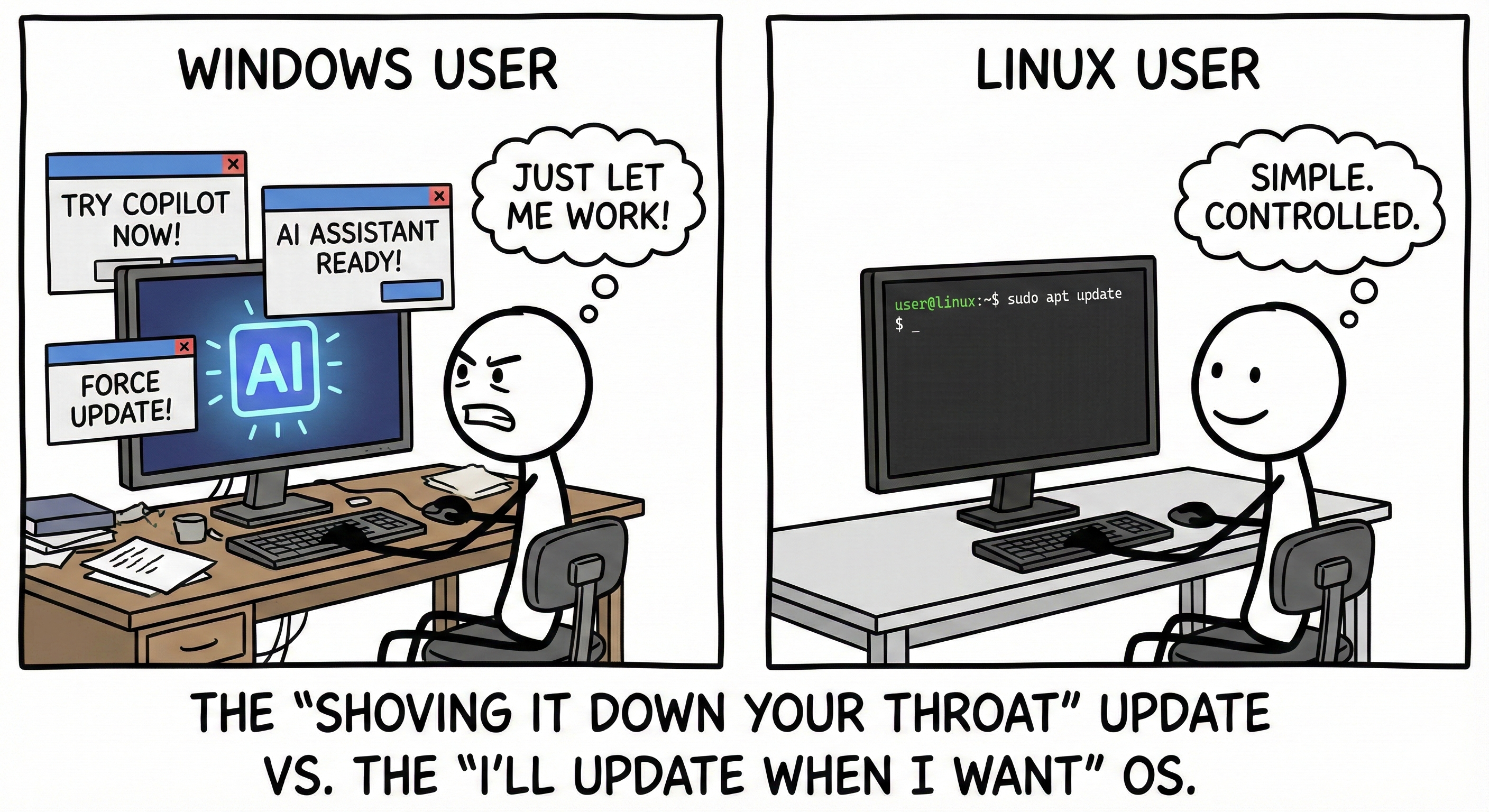
Might be off topic, but does anyone else dread the outcome of their Linux system after an update?
It seems like I always time my updates at the time when things go wrong. It makes me not even want to update my system at all, because it usually involves a lot of pain to get it back to a working AND updated state.
For example, last month on the 20th, I updated openSUSE Tumbleweed through zypper dup. All is well, and everything updated just fine. Well, after that update, I noticed Dolphin (the file browser that comes with KDE I think) crashes when creating a new folder in any of my drives, whether it be the main OS drive or one of my many HDDs inside of the computer case, or my NAS. Doesn’t matter, I go to create the folder, name it, and as soon as it is made, Dolphin freezes.
Well, I learned earlier this year that if my system is booting normally and able to play games (all I really care about to be honest), I REALLY shouldn’t touch it because the next update might break my stuff again. Well, on the 27th, I updated through zypper dup, and what do you know, my GEProton stuff no longer works. So, I spent the entire afternoon trying to figure out what I can do to get it working again, fail, boot back into a snapshot from before the update.
So, I just wanted to know what everyone else feels about updating their systems, especially if you have a similar use case like mine. :/
tumbleweed is like that though. there’s a cost to immediately getting all the updates: you are supposed to be testing it and reporting problems you find. if you don’t want that that’s fair, me neither, that’s why I don’t run tumbleweed. I never understood the people saying they never have problems.
but please don’t write this down as “the linux experience”
if leap is too slow for you, you could try fedora kde edition, so far it seems pretty stable. but maybe you could continue with tumbleweed after setting up automatic snapshots before update installation. if your rootfs is BTRFS it shouldn’t be hard.
I don’t think you need tumbleweed. do you run steam as a flatpak package? if so then its updates and for wine/proton they arrive quickly, I think you would be fine with leap.
where I use opensuse leap, I fear the major version updates, but I don’t know why because I always read the release notes, and I don’t think I had major issues yet.
where I use fedora kde, I just let it do it itself. these are not my primary systems (yet), so if something breaks then its not that much of a pain, but no problems so far. it already supports the update install method that installs all of them after a reboot, and that’s what I use,
This kind of thing is why backups / snapshots are so important to do. On Linux we actually get that option so much more easily than on Windows, so it’s worth doing. On Windows, updates are painful enough that out of habit I just reinstall Windows every year to head this problem off.
Not trying to minimize your pain, it’s something I had to learn to deal with too and it does take time and energy to properly resolve, which isn’t free. The experience will also vary dramatically between distros and hardware.
Lastly if you’re a long time Windows user try to remember what it was like when you were new, when you had no idea how the pieces connect to each other; it takes time to get into the groove.
Oh, definitely! I am by no means trying to say Linux is inferior in anyway whatsoever, but I do think they need people like me to use the system in a way they may not have anticipated to have things improve for everyone, if that makes sense? Like, I can probably mess up most Linux installs simply by trying to replicate the workflow that has worked for me for years with no issues on Windows!
I don’t feel like you’re minimizing, I feel like you’re sharing your experience, and I appreciate you for that! I just feel like bringing these pain points up in the hope that someone might have an answer for me or others, I guess?
I started using Windows when I was 10 or 11, and got a virus, learned from it, and never had an issue with Windows again. I even learned how to mod my games back in those days (Oblivion with it’s simple enough for most things drag and drop modding). Basically, I can navigate most GUI and get the thing I was looking for working, but the moment you bring terminal commands to my eyeballs, I start thinking “this is how my machine gets ruined today, eh?” lol ;P
But, yes, once I got more comfortable in openSUSE and KDE, it is very hard to even consider going back to Windows or another distro since it took so much time for me to set my computer up the way I like it.
I dont even game on my Linux system and every time it updates I know I have a frustrating night ahead of me.
Maybe just an Ubuntu thing but actually my steam deck has had to roll back a few times as well… At least it had that option unlike Ubuntu.
Maybe it is because I am using mine for network related apps that they are always what breaks but man it seems like some major backed component gets a rewrite every so often just to see if it is better. I have had so many port issues and network issues it makes me want to be Amish. That and trying to get video thumbnails back that one time. Wasnt a total nightmare but weird that it took me days to figure out that apparently I had to delete the cache then reinstall ffmpegthumbnailer…
So, no, not alone. Hate updates. Hate them so much.
Have you tried Nemo by the way? Kinda like it better than Dolphin.
I feel like if I didn’t game and use my computer the way I do, my Linux experience would be like most that you see on the web. “It just works!” and all of that.
The Steam Deck has had one hiccup in my two years on it, and I just put it away until the next update, and poof, all fixed! I also use Decky plugins, so that could’ve very well been my issue!
I definitely feel you on the backend stuff. I upgraded one time and noticed that I had to wait a few days if not a week until I could use one of my apps, Proton Mail Bridge I believe, since the window wasn’t showing except for the title bar and the minimize, fullscreen, and exit buttons.
It’s… really weird how it all works until it doesn’t, which isn’t something I have ever experienced on Windows, though I keep in mind that this is all a community effort and the operating system really is good at its core, but I think it needs some people like me or you to bring these pain points up so they are seen and maybe even worked on.
Give me a Linux install, and I’ll show you how easily a user can wreck it just trying to recreate a workflow that they have on Windows. ;P
EDIT: No, I haven’t tried Nemo, but I will now that you’ve recommended it! Does it have split tab stuff like Dolphin? That’s a feature I use every single day to easily move stuff around all of my drives and NAS. :)
I didn’t have problems with Linux in this regard but I did have them with Windows where it bricked itself after an update.
I am lucky enough to say that Windows has always been solid for me and I’ve never had any issues with anything I was trying to do with it.
On the other hand, I am usually just trying to play a game before the next day begins all over again, so I used ChrisTitusTech’s Windows Utility for fine grain control over when the system updates among the many other options it provides.
Basically, I set it up to not bother me with any updates except security updates for over 4 months, THEN the newer version can try to get installed. I haven’t had to use Windows except a handful of times since last December, so my memory may not be as clear as it should!
Sorry for the long wall of text! :)
I use Nixos, which has really good backed in rollbacks so not really. When I was on arch I did
Not really. I don’t really worry about that on most of my system. There is ONE computer where an update is a source of stress, and that’s my main gaming computer where I had to setup dualbooting with windows. I learned the hard way that my motherboard implementation of UEFI kinda want windows to be there, otherwise it’s very picky into which disk is parsed for EFI boot entries. But beyond that, nah. Laptop, desktop, company servers… just roll the update/upgrade, and the dist-upgrade when needed, fix the updated configs (for servers) and it’s good to go. Been this way for the last decade or so.
Worthy of note, I’m on ubuntu LTS (24.04 for now) or Debian stable (for servers), so not exactly outdated (I have the latest nvidia drivers…) but not bleeding edge either. I probably avoid a lot of issues this way.
Thank you for your reply!
Are you using the same drive for the dual boot? I ripped a spare SSD from a dead laptop a few years back, and installed tiny11 onto it and used my newer SSD for openSUSE. I’ve never had any issues this way, if that helps?
My system is really just for PC gaming, so I understand!
As others said, that is part of the fun of rolling release.
If you enjoy openSUSE, what you want is their fixed release, openSUSE Leap. Theses are EOL in 24 months, but there are some built-in migration tools to help you upgrade to the next version when it comes out.
Remember to back up your data!
Yes, thank you, but when it comes to these point releases, I don’t want to have to practically reinstall the OS just for an update, if that makes sense? I appreciate the reply though, seriously! I just wanted to see what others had to say. :/
I mean its all just packages under the hood. Its not that technically different than any other system update. For openSUSE, you run
zypper dupinstead ofzypper patch.(Section 12.1.4 https://doc.opensuse.org/documentation/leap/startup/html/book-startup/cha-update-osuse.html)
Note: I have never personally tried this nor used OpenSUSE ;)
I see.
I might just be dumb, but what I gathered when I was reading about openSUSE Tumbleweed is that a zypper dup should be the only command I need to worry about when updating the system. After looking at this for Leap, I think the way they handle them on Leap is a little extra for my taste, if that makes sense?
It sounds like maybe a rolling release distro like openSUSE Tumbleweed is not the best fit for you. The ‘fix the system after updates’ is supposed to be part of the fun for those that like rolling release.
I would suggest switching to a point release type distro, where you may end up with some bugs for a while, but they are the same bugs that you can figure out workarounds for.
edit: grammar
I don’t think distro hopping would be a good choice for me since I already have very little time to even game, let alone diagnose and fix my computer after what should be a simple update…
I’ve already painstakingly set my computer up the way I want it, which took days with the limited amount of time I have. It’s why I don’t want to update at all, actually, since when it is working fine, it’s working great. I also need the newer drivers and other stuff that a rolling release provides me, since I am trying to game mainly.
I can’t use immutable distros, because that over complicates me using my computer as my computer.
You don’t really need the newest drivers unless you want to play the newest games
I play games from the '90s all through the newest releases, so I do need the newest and most up to date drivers. Gaming is my hobby. :/
Hold off on updating and wait for the latest slow roll release and migrate to that? Long term try to migrate to a future Leap build? Big jumps while upgrading is usually when shit breaks.
https://en.opensuse.org/Portal:Slowroll
mint is pretty friendly about that, thankfully. i’m just dreading an exactly linux mint update from like 22.2 to 22.3 or w/e but mostly because i’ve never done it yet (i just switched last march).
That was one of the main reasons of me using a rolling release. I do not want to spend whatever time I have left on the week days/weekend to do a whole system upgrade like that. I’m sure it works well, but it is not what I am looking for in my daily OS. :(
It shouldn’t be hard or too hard at least. Unless you are on BTRFS… I had quite a difficult time trying to move my openSUSE over to a new M.2 I got for my birthday, and it was hellishly complicated. I’ve used Rescuezilla to copy my Windows OS over to a different drive and it was as simple as choosing the stuff and executing. On BTRFS though… good god why is it so difficult to move it over and have it setup and ready to go like the Windows drive?? Crazy. :P
Nope, I just update my systems, reboot and it work. I got an ubuntu with a NVIDIA GPU and Intel CPU for running docker containers. And a bazzite with amd GPU and CPU. Both updated weekly or monthly depend of the time. 95% of the time I got no issues. Last time. Got issue was NVIDIA which forgot to package a docker dependency in a driver version and I had to jump to the last version to make it work. (I usually hot for version -1 to avoid the issues NVIDIA drivers cause in Linux)
Ah. I do have an NVIDIA GPU also, so how would I go about making sure that I use a specific version of the GPU drivers? I’ve been on openSUSE for over a year now, and it has mostly been smooth sailing, but I do not have a lot of time after work to diagnose my computer when I just want to relax for two or three hours before having to end the day and a new work day start…
For Ubuntu you install drivers with version like this nvidia-driver-550-server with 550 being the version of the driver. I think they are at 580 or 680.
Ah, I see. Yes, I think I have the newest open-drivers for NVIDIA, but on openSUSE, I don’t see an option for a specific driver. Maybe when I have more time I will see what I can find! Thank you! :)