Material Files for me. It feels like KDE’s Dolphin if it had an android port.
Material Files because of its general design and the quick access to bookmarks and other things in its sidebar accessible through a simple swipe.
Plus one for this. It also works with things like ftp sftp WebDAV smb etc.
And its awareness of SAF. I use it on my tablet to access for example Termux home directory. Doesn’t work with Google Drive for some reason tho
It also works with rooted devices to access root files, if that’s something you care about.
It’s perhaps not as featureful as others mentioned but if you like Rclone then Round Sync is a solid option.
I haven’t dug into them deeper but Fossify have what seems to be decent basic options for all of the base Android apps: Phone, SMS, keyboard, camera, etc.
Just replacing all the stock apps with the Fossify suite looks like it could be an easy privacy win for someone stuck on a device with locked bootloader and dodgy stock apps from vendor or Google.
+1 for fossify
Wait. Nobody mentioned the extraordinary MiXplorer ?!?!
I don’t know why it is not more popular, it just does EVERYTHING.
Don’t forget to donate to the dev if you use and like it :)
Thanks for sharing, but I imagine it doesn’t get mentioned as much here because from a privacy perspective, that app seems kinds shady.
No source code available as far as I can tell, no builds available from a reputable source like F-Droid (just unvetted APK downloads from someone’s Google Drive), no apparent issue tracker beyond a confusing and seemingly outdated network of thread links from 2016 on a forum.
Yea it is a case of found it years ago and worked so incredibly well I haven’t had the slightest interest in using anything else.
That’s fair, you’re absolutely right. I probably like it enough that I never had the courage to go through all 2,453 pages of the XDA thread :) Running it through Exodus showed a clean result, so I likely trusted it a bit too quickly. It still feels miles better to me than most proprietary apps on the Play Store, but clearly less easy to trust than the open source apps mentioned above.
I use https://f-droid.org/packages/me.zhanghai.android.files/. Looks good and does all I need it to
I use 7 zipper as my defacto file manager.
Ui leaves something to be desired, but it’s fairly robust considering that is not what it was originally intended for.
I use Cx File explorer. Pretty sure I never paid for it. Let’s me reach Windows shares as well as browse files on my phone
The full version was offered for free at one point. That’s how I got it. I’ve never been sure how safe it is from a privacy standpoint.
It does a lot, but can’t create uncompressed zip files. I discovered this recently when I was changing phones and wanted to grab a bunch of uncompressable stuff from my secure folder. Solid Explorer can but isn’t free.
I have Material Files installed (recently) but haven’t played with it yet.
That makes sense. I also have no idea from a privacy stand point, I saw the sub after commenting
I’ve been using ghost commander for years. https://f-droid.org/packages/com.ghostsq.commander/
For quick graphical management I use FX File Explorer because it keeps the timestamps when moving files.
For something more I use… Termux. I like to sort things based on timestamps as well, but often I like to set some custom modification time, or copy modification time of a file being replaced (e.g. replacing old 128kbps MP3 for FLAC), and I don’t know of any other way than
touch.
Similarly I don’t know what else to use for syncing directories other thanrsync.
Plus, I can run SSH in Termux, that means Rsync-ing between PC and my phone is pretty easy.
And it also means I can mount the phone over SSHFS (granted KDE Connect already takes care of this).
I can also use GPG for encryption and decryption of files.
And Vim works fine for me for text editing too.
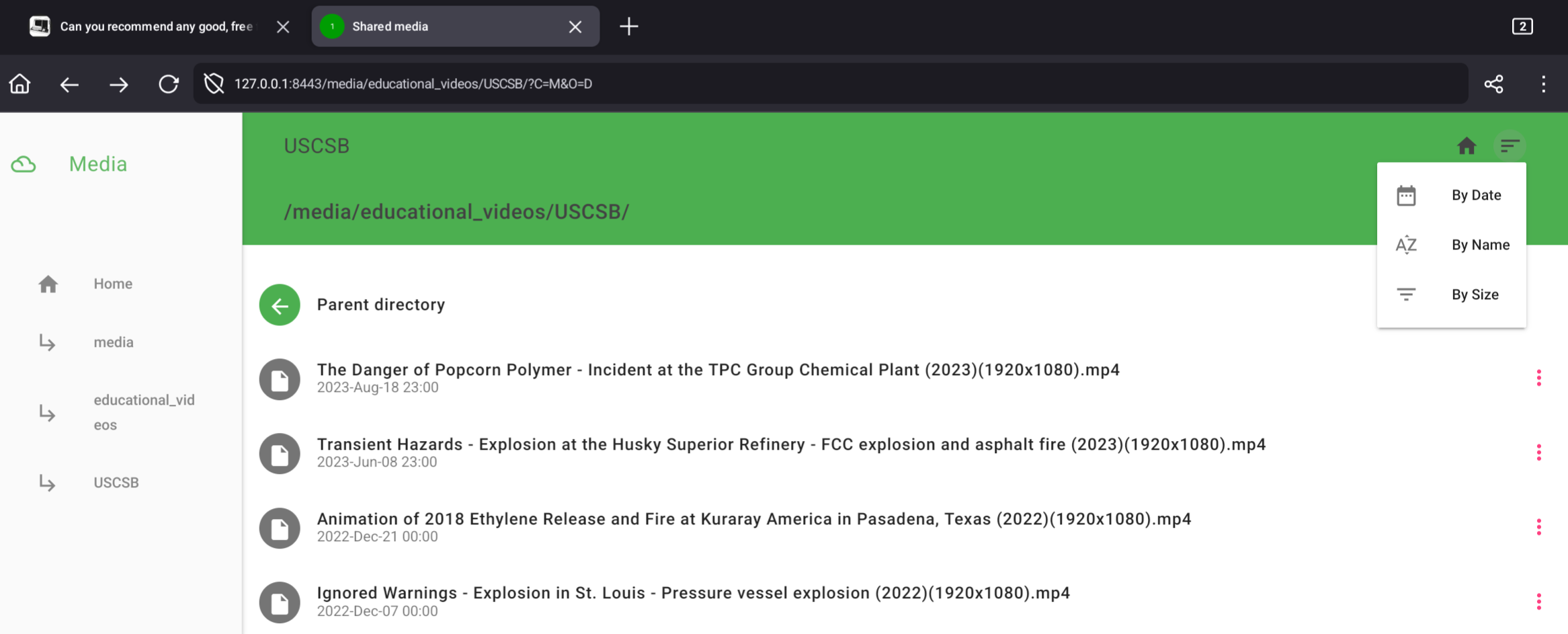
And now since I already have that, say I want to access some files on any computer. It probably has a browser, and Termux has NGINX, coupled with FancyIndex it gets pretty nice for file access. I like the Material theme.Now, a bit of a disclaimer: BE CAREFUL WHAT ADDRESSES THE PHONE IS LISTENING ON
I set them manually rather than the typical default of all interfaces. Unfortunately, Android seems to have no firewall. I can easily reach things on my phone connected to mobile data thanks to IPv6. This may or may not be desired. Oh, and NAT isn’t for security either, so don’t think you’re safe because you only use IPv4. Perhaps devices behind same NAT aren’t isolated.Edit: Example of the WebUI with Material theme (sorted by date because I was able to set the file timestamps):
- Material Files
- Fossify File Manager
- FX File Explorer
FX File Explorer, seconded.
I use Prism File Explorer. It’s more advanced, has built in viewers for various file types, and lets you browse the root directory without rooting your phone.
I like OwlFiles. I use it for the WebDAV support. It’s free, but has a paid version with more features, so it’s not 100% free.
Been using Total Commander. Haven’t heard anything bad about it yet.