As we all know, file copying on Linux has long relied on the classic cp command, which remains reliable but offers little feedback and limited control over long or complex operations.
To address this, a promising new Rust-based command-line tool called cpx emerge, designed as an alternative rather than a replacement, that approaches the same task with a focus on performance, visibility, and configurability.
It targets scenarios where large directory trees, interrupted transfers, or the need for detailed progress reporting make standard tools less convenient to use. The project is currently Linux-only and leverages modern kernel features to improve copy throughput and reliability.
New Linux util.
looks inside
Non-copyleft license
I appreciate that it’s not trying to replace
cpbut the lack of copyleft is always disconcerting.What’s the risk here though, a company like Amazon makes a closed source version of it?
If it was a file format library, or something like a web server I’d get it. But stuff like
cpare effectively just userspace wrappers around kernel APIs.yeah, like, supposedly it can be hard to use GPL with some rust dependencies, but the MPL is right there as a decent compromise.
I like and use rust, and I actively try to use permissive licenses for libraries and copy left for binaries. Just makes sense in my head.
how can it be hard? permissive licenses are compatible to the GPL, the opposite not though
Static linking makes things difficult. I’m not sure what the details are, that’s just what I’ve heard from Rust developers.
Because of static linking, a single GPL dependency turns the entire resulting binary into a GPL licensed one, so yeah just use something like the MPL in that case (Or EUPL, which I hear is similar)
LGPL has the same issue, since it only provides an exception for dynamic linking. But honestly that’s all an issue for lawyers and judges to sort out (I bet you could win in court with an argument that dynamically linking to GPL is actually fine).
MIT License 🤢🤮
Welcome to rust where MIT is just recommended yet everyone does use it for licensing.
I’m aware that they are wrong
What’s wrong with rsync?
I’ve had cp aliased to rsync with my flags for years. It seems like a lot of newcomers try to “fix” stuff before they really understand what’s available. Or they just like to play around with different programming languages. Which is fine, but usually it’s not really interesting to me.
It’s a damn pain to remember all the flags. How many flags can a program friggin have? I’m always afraid that some flag I enter will reverse the sync and delete everything in the source folder because the target is empty.
I use rsync only when all params have been reseasrched and tested. cpx presumably just requires
cpx - r source targetinstead of 5 rsync flags.The only one you need is -a. -avz if you want verbose and compression.
I just looked it up and - x means one filesystem. But does - v give you a progress bar or just a lost of stuff copied?
IIRC rsync also treats the trailing slash in a special manner that I always have to look up.
Ha. I meant z. I guess I was getting mixed up with tar.
No slash means the directory. Slash means the items in the directory.
The trailing slash is just following cp’s own special treatment
# before
dir/
    file1
target/
    orig.txt


# no trailing slash - copy *dir* to target
cp -r /path/to/some/dir /my/target

# after
target/
    orig.txt
    dir/            # dir copied to target
        file1


# with trailing slash - copy *contents* of dir to target
cp -r /path/to/some/dir/ /my/target

# after
target/
    orig.txt
    file1            # contents of dir
–progress=info2 could be a bit shorter imo
What 5 flags did rsync need? I always just do -av and go about my day. And the -v is kinda optional.
How do you get the progress bar?
--progress🤷♂️
That’s probably the next wheel some overzealous Rust dev will reinvent.
Too many letters to type obvi! /s
ezafd-findWhich other modernized tools to get and enjoy fam?
So many things from the Modern UNIX tools repo!
My daily drivers are:
lsdinstead ofls- colors, icons, tree-view, more formatting,dustinstead ofdufor better formatting,jqfor viewing JSON,gtopinstead oftopjust because it’s so pretty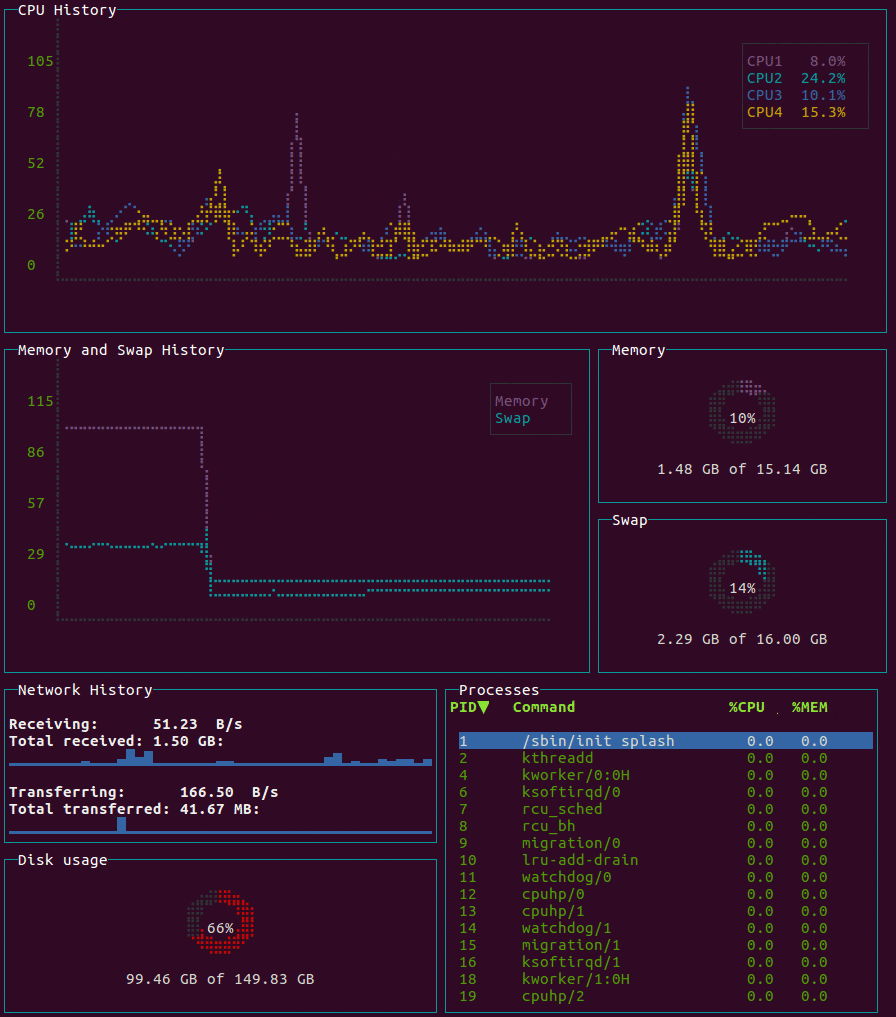
(I’ve aliased most of these, but there are a few toolchains that have broken)
I’ve been using btop, this seems interesting
That
dustis looking fine. I have been usingbtopmyself.I find btop’s color schemes don’t work well with changing between light and dark mode in the terminal when theme background is turned off.
This is very true. I find
flat-remix-lightto be somewhat decent (still pretty bad) among the options.Okay cool, I’ll test that out. Thanks!
Oof zoxide is my baby. One of the best new utils.
also ripgrep and fzf.
check out this blog post I wrote about cool TUI and CLI tools I use. Not all of them are “modernized” but you’ll find some cool things there.
dustandripgrep