You must log in or register to comment.
Source or it’s AI
Its obviously AI
Apart from my comment, here’s the tldr:
The outlines, the thought bubbles, the general senselessness of the meme and it not being tied to anything Linux users normally do, instead being based on stereotypical stuff regurgitated by most youtubers now
Also the Terminal on the left is just nonsense
Check out the daily slop of Eli the Computer guy, the thumbnails are all AI slop and generally you can really see the parallels once you look at those vs this image
Moved to CachyOS. Most things just worked. “update” is literally an alias that updates your OS and packages. Once had a bad update, snapshot rolled me back into action within 3 minutes.
With Windows that could warrant a reinstall/reimage if it’s bad enough. Fucking wild.
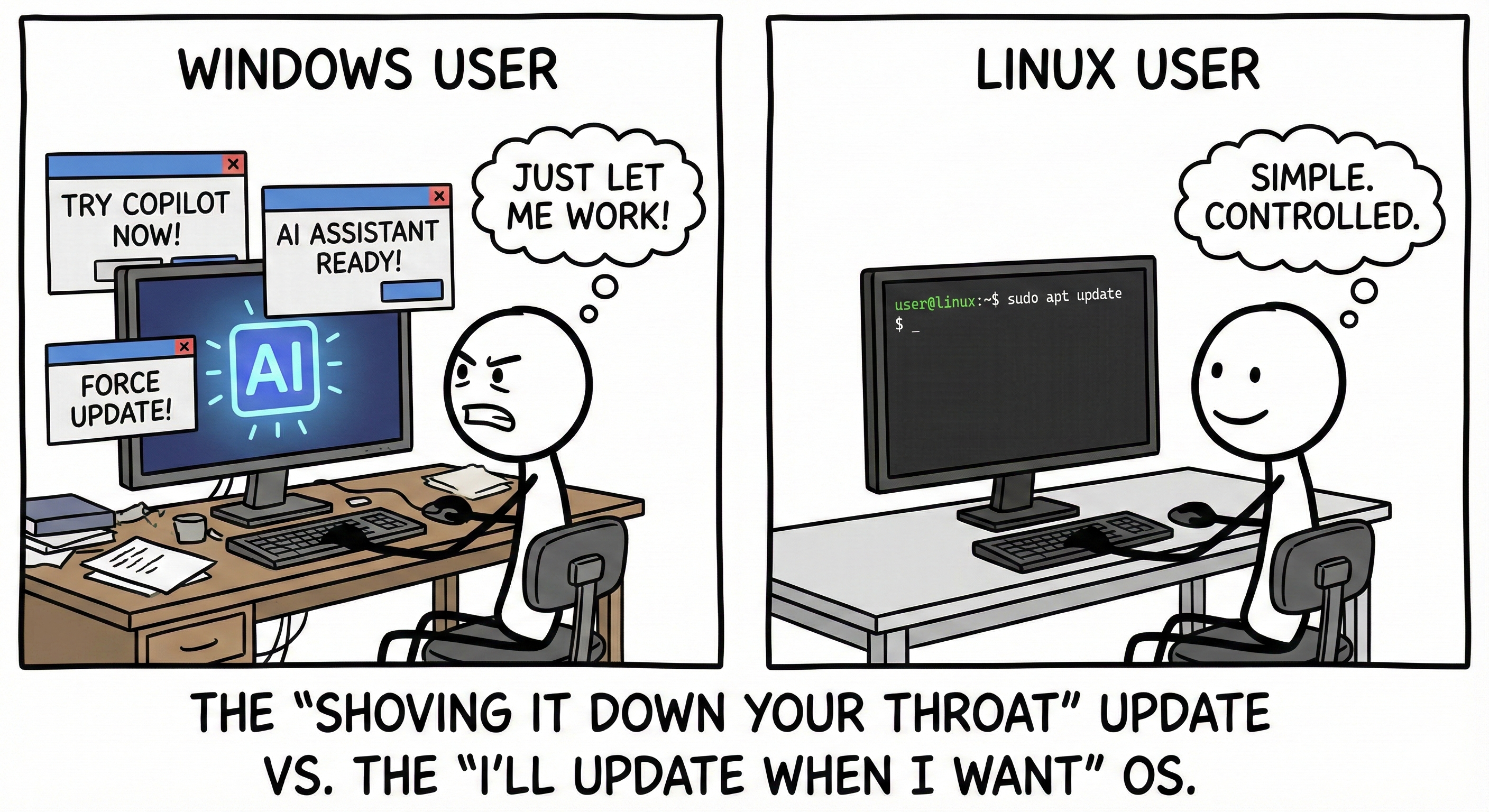
The AI Generated anti AI Meme.
Also, the example has nothing to do with updating or not.
What makes you think, that this is AI
The typical Font, the typical drawing style
It is generally
- not a known meme template
- not a „normal” font style like impact, used by most no effort memes
–> pretty big effort
- maybe artist?
–> no Mark, not known like xkcd, pizzacake, cyanide and happiness (which would have been most likely)
- pretty typical AI font style, weird curly but at the same time straight font
- also the outlines remind me really much of AI slop
- If anyone might have drawn it, the monitor and desk would have stayed the same. If they wanted to do it in a more obvious way that these are 2 different people, they would have added more of a color and/or person differentiation with clothing or other desks. Instead the image is copied and pasted 95%, except for small, usually not noticable changes like the corners of the image. This is generally how AI images look using the same input, only having the random parameters that are usually inserted into the image generator change.
Its literally the same line thickness
Also, random notes: Thought bubble looks really like AI, nonsense Terminal commands consisting of a mix of Ubuntu/Debian default bash and sh??? (sh usually only has a $)
The template „AI vs no need to update” generally has nothing to do with each other, and is generally just the stuff regurgitated by just about every YouTube channel by now; unlike most Linux users memes, which ranges generally in more niche topics
- Windows AI, Forced updates
- Linux no AI, Terminal, Debian commands
Also, as https://lemmy.world/comment/21278707 @AeonFelis has pointed out, the image is 5mb big.
Also, a resolution of 2816x1536 is not normal
Almost just like it is not normal for such an image not to be tagged by your Graphics Program that you used to make it
TL;DR: this is what happens if you ask grok to make a Meme about Linux and windows from the meaning depth to the weird art
Check out the other great dissection
https://lemmy.world/comment/21275322
And the fact you are even denying it, yet posting the most obvious slop, makes it even funnier
Might add to it later, but I think if you already read this, you might as well look at the PIC and my example and decide for yourself
Why is the image 5MB?
AI slop
Ha! As if Ubuntu didnt update on its own and then completely killed my internet access because it changed the file system of how it stores DNS but didnt somehow do it right to the point of me spending 3 hours figuring out what file I had to recreate and why to get it working again.
Linux is cool but not this make believe version of cool.
Well see that’s your problem right there, you’re using ubuntu /j
Yeah. Maybe. I know I will never try arch again and I thought Ubuntu was supposed to be one of the good ones but its been so much stress.
I dont want to have to completely redo my whole system and all the software just to try a different OS flavorProblem with ubuntu is that it’s corporate driven, with the corporate mindset. theybare not as bad as microsoft, but they are regularly showing their teeth. not with this of course, this is “just” a mistake of some kind
I switched to Debian with KDE. Same basics as Ubuntu without their oversight.
I have no idea when it happened, but there’s a mechanism in place to download updates but only install them on reboot, kinda similar to windows, but when you want instead of when it want. It’s kinda the best of both world : updates are quick to install, downloaded in the background, and no workflow interruption.
Ah. I have only figured out the check for updates daily, weekly or never options. I am leaning into never as this is the third time an Ubuntu update has made me want to curl up in a ball and die.
I dont find thus constant tech support fun.
But if the internet is dead, you can’t curl!
(Well, depending on what broke, I guess localhost may work)
You might prefer a more curated experience like Bazzite.
Probably, but it is not a gaming device but a network managing one and its been running for way before bazzite and just the thought of having to configure it all again makes my skin crawl.
ever since i switched linux i even get excited when i see a tzdata update.
Might be off topic, but does anyone else dread the outcome of their Linux system after an update?
It seems like I always time my updates at the time when things go wrong. It makes me not even want to update my system at all, because it usually involves a lot of pain to get it back to a working AND updated state.
For example, last month on the 20th, I updated openSUSE Tumbleweed through zypper dup. All is well, and everything updated just fine. Well, after that update, I noticed Dolphin (the file browser that comes with KDE I think) crashes when creating a new folder in any of my drives, whether it be the main OS drive or one of my many HDDs inside of the computer case, or my NAS. Doesn’t matter, I go to create the folder, name it, and as soon as it is made, Dolphin freezes.
Well, I learned earlier this year that if my system is booting normally and able to play games (all I really care about to be honest), I REALLY shouldn’t touch it because the next update might break my stuff again. Well, on the 27th, I updated through zypper dup, and what do you know, my GEProton stuff no longer works. So, I spent the entire afternoon trying to figure out what I can do to get it working again, fail, boot back into a snapshot from before the update.
So, I just wanted to know what everyone else feels about updating their systems, especially if you have a similar use case like mine. :/
This kind of thing is why backups / snapshots are so important to do. On Linux we actually get that option so much more easily than on Windows, so it’s worth doing. On Windows, updates are painful enough that out of habit I just reinstall Windows every year to head this problem off.
Not trying to minimize your pain, it’s something I had to learn to deal with too and it does take time and energy to properly resolve, which isn’t free. The experience will also vary dramatically between distros and hardware.
Lastly if you’re a long time Windows user try to remember what it was like when you were new, when you had no idea how the pieces connect to each other; it takes time to get into the groove.
Oh, definitely! I am by no means trying to say Linux is inferior in anyway whatsoever, but I do think they need people like me to use the system in a way they may not have anticipated to have things improve for everyone, if that makes sense? Like, I can probably mess up most Linux installs simply by trying to replicate the workflow that has worked for me for years with no issues on Windows!
I don’t feel like you’re minimizing, I feel like you’re sharing your experience, and I appreciate you for that! I just feel like bringing these pain points up in the hope that someone might have an answer for me or others, I guess?
I started using Windows when I was 10 or 11, and got a virus, learned from it, and never had an issue with Windows again. I even learned how to mod my games back in those days (Oblivion with it’s simple enough for most things drag and drop modding). Basically, I can navigate most GUI and get the thing I was looking for working, but the moment you bring terminal commands to my eyeballs, I start thinking “this is how my machine gets ruined today, eh?” lol ;P
But, yes, once I got more comfortable in openSUSE and KDE, it is very hard to even consider going back to Windows or another distro since it took so much time for me to set my computer up the way I like it.
I dont even game on my Linux system and every time it updates I know I have a frustrating night ahead of me.
Maybe just an Ubuntu thing but actually my steam deck has had to roll back a few times as well… At least it had that option unlike Ubuntu.
Maybe it is because I am using mine for network related apps that they are always what breaks but man it seems like some major backed component gets a rewrite every so often just to see if it is better. I have had so many port issues and network issues it makes me want to be Amish. That and trying to get video thumbnails back that one time. Wasnt a total nightmare but weird that it took me days to figure out that apparently I had to delete the cache then reinstall ffmpegthumbnailer…
So, no, not alone. Hate updates. Hate them so much.Have you tried Nemo by the way? Kinda like it better than Dolphin.
I feel like if I didn’t game and use my computer the way I do, my Linux experience would be like most that you see on the web. “It just works!” and all of that.
The Steam Deck has had one hiccup in my two years on it, and I just put it away until the next update, and poof, all fixed! I also use Decky plugins, so that could’ve very well been my issue!
I definitely feel you on the backend stuff. I upgraded one time and noticed that I had to wait a few days if not a week until I could use one of my apps, Proton Mail Bridge I believe, since the window wasn’t showing except for the title bar and the minimize, fullscreen, and exit buttons.
It’s… really weird how it all works until it doesn’t, which isn’t something I have ever experienced on Windows, though I keep in mind that this is all a community effort and the operating system really is good at its core, but I think it needs some people like me or you to bring these pain points up so they are seen and maybe even worked on.
Give me a Linux install, and I’ll show you how easily a user can wreck it just trying to recreate a workflow that they have on Windows. ;P
EDIT: No, I haven’t tried Nemo, but I will now that you’ve recommended it! Does it have split tab stuff like Dolphin? That’s a feature I use every single day to easily move stuff around all of my drives and NAS. :)
I use Nixos, which has really good backed in rollbacks so not really. When I was on arch I did
I didn’t have problems with Linux in this regard but I did have them with Windows where it bricked itself after an update.
I am lucky enough to say that Windows has always been solid for me and I’ve never had any issues with anything I was trying to do with it.
On the other hand, I am usually just trying to play a game before the next day begins all over again, so I used ChrisTitusTech’s Windows Utility for fine grain control over when the system updates among the many other options it provides.
Basically, I set it up to not bother me with any updates except security updates for over 4 months, THEN the newer version can try to get installed. I haven’t had to use Windows except a handful of times since last December, so my memory may not be as clear as it should!
Sorry for the long wall of text! :)
Might be off topic, but does anyone else dread the outcome of their Linux system after an update?
Not really. I don’t really worry about that on most of my system. There is ONE computer where an update is a source of stress, and that’s my main gaming computer where I had to setup dualbooting with windows. I learned the hard way that my motherboard implementation of UEFI kinda want windows to be there, otherwise it’s very picky into which disk is parsed for EFI boot entries. But beyond that, nah. Laptop, desktop, company servers… just roll the update/upgrade, and the dist-upgrade when needed, fix the updated configs (for servers) and it’s good to go. Been this way for the last decade or so.
Worthy of note, I’m on ubuntu LTS (24.04 for now) or Debian stable (for servers), so not exactly outdated (I have the latest nvidia drivers…) but not bleeding edge either. I probably avoid a lot of issues this way.
Thank you for your reply!
Are you using the same drive for the dual boot? I ripped a spare SSD from a dead laptop a few years back, and installed tiny11 onto it and used my newer SSD for openSUSE. I’ve never had any issues this way, if that helps?
My system is really just for PC gaming, so I understand!
mint is pretty friendly about that, thankfully. i’m just dreading an exactly linux mint update from like 22.2 to 22.3 or w/e but mostly because i’ve never done it yet (i just switched last march).
That was one of the main reasons of me using a rolling release. I do not want to spend whatever time I have left on the week days/weekend to do a whole system upgrade like that. I’m sure it works well, but it is not what I am looking for in my daily OS. :(
It shouldn’t be hard or too hard at least. Unless you are on BTRFS… I had quite a difficult time trying to move my openSUSE over to a new M.2 I got for my birthday, and it was hellishly complicated. I’ve used Rescuezilla to copy my Windows OS over to a different drive and it was as simple as choosing the stuff and executing. On BTRFS though… good god why is it so difficult to move it over and have it setup and ready to go like the Windows drive?? Crazy. :P
As others said, that is part of the fun of rolling release.
If you enjoy openSUSE, what you want is their fixed release, openSUSE Leap. Theses are EOL in 24 months, but there are some built-in migration tools to help you upgrade to the next version when it comes out.
Remember to back up your data!
Yes, thank you, but when it comes to these point releases, I don’t want to have to practically reinstall the OS just for an update, if that makes sense? I appreciate the reply though, seriously! I just wanted to see what others had to say. :/
I mean its all just packages under the hood. Its not that technically different than any other system update. For openSUSE, you run
zypper dupinstead ofzypper patch.(Section 12.1.4 https://doc.opensuse.org/documentation/leap/startup/html/book-startup/cha-update-osuse.html)
Note: I have never personally tried this nor used OpenSUSE ;)
I see.
I might just be dumb, but what I gathered when I was reading about openSUSE Tumbleweed is that a zypper dup should be the only command I need to worry about when updating the system. After looking at this for Leap, I think the way they handle them on Leap is a little extra for my taste, if that makes sense?
It sounds like maybe a rolling release distro like openSUSE Tumbleweed is not the best fit for you. The ‘fix the system after updates’ is supposed to be part of the fun for those that like rolling release.
I would suggest switching to a point release type distro, where you may end up with some bugs for a while, but they are the same bugs that you can figure out workarounds for.
edit: grammar
I don’t think distro hopping would be a good choice for me since I already have very little time to even game, let alone diagnose and fix my computer after what should be a simple update…
I’ve already painstakingly set my computer up the way I want it, which took days with the limited amount of time I have. It’s why I don’t want to update at all, actually, since when it is working fine, it’s working great. I also need the newer drivers and other stuff that a rolling release provides me, since I am trying to game mainly.
I can’t use immutable distros, because that over complicates me using my computer as my computer.
You don’t really need the newest drivers unless you want to play the newest games
I play games from the '90s all through the newest releases, so I do need the newest and most up to date drivers. Gaming is my hobby. :/
Hold off on updating and wait for the latest slow roll release and migrate to that? Long term try to migrate to a future Leap build? Big jumps while upgrading is usually when shit breaks.
Nope, I just update my systems, reboot and it work. I got an ubuntu with a NVIDIA GPU and Intel CPU for running docker containers. And a bazzite with amd GPU and CPU. Both updated weekly or monthly depend of the time. 95% of the time I got no issues. Last time. Got issue was NVIDIA which forgot to package a docker dependency in a driver version and I had to jump to the last version to make it work. (I usually hot for version -1 to avoid the issues NVIDIA drivers cause in Linux)
Ah. I do have an NVIDIA GPU also, so how would I go about making sure that I use a specific version of the GPU drivers? I’ve been on openSUSE for over a year now, and it has mostly been smooth sailing, but I do not have a lot of time after work to diagnose my computer when I just want to relax for two or three hours before having to end the day and a new work day start…
For Ubuntu you install drivers with version like this nvidia-driver-550-server with 550 being the version of the driver. I think they are at 580 or 680.
Ah, I see. Yes, I think I have the newest open-drivers for NVIDIA, but on openSUSE, I don’t see an option for a specific driver. Maybe when I have more time I will see what I can find! Thank you! :)
hey bro this image kinda smells AI Generated my man
Because it is
Help me out here whippersnapper, all I can see that is suspicious is the coffee cup and grey note next to it, but everything else looks clean
For me it’s the text (too regular and perfectly-ruled to be hand lettered, but too much variance between the letterforms to be a font) and the little AI artifact on the random doohickey directly under the bottom left corner of the AI computer monitor:

Aside from that, it’s just the weight of unmotivated choices. Why is the “good” side of the image grayscale while the “bad” side is in color (a human probably would’ve done it the other way)? Why are the desks drawn slightly differently while the person, chair, and computer are drawn the same (a human would’ve probably made everything identical to better illustrate their point)? Why all the random clutter on one but not the other (if the point was to make the AI computing experience look scattered and cluttered, surely they would’ve made it more overwhelmingly cluttered, but if it was for verisimilitude they’d have put clutter on both desks)? Also, subjectively, the “AI” logo on the screen suggests a pleasant experience, not an oppressive one.
An unmotivated choice on its own isn’t necessarily an AI calling card, but enough of them together alongside one or two smoking guns can definitely make the case pretty strongly.
It’s becuase they told the ai to make the right side simple so it simplified everything.
It’s not just ai slop, they also used sloppy prompts.
The desk and the colours too. Impressive prompt predicting from you, are you sure you’re not ai?
What an astute and flattering observation! You are good and smart.
I am 100% real. Trust me bro.
If you’d like I can provide a list of human organs I contain. Would you like me to do that now?
There are cables in the windows side but not the Linux side, which also seems like an odd choice for a human to make to me.
Agreed, good catch.
All good points, thanks for this
Yes, who in the right mind would draw a popup window behind the screen and forget to write the green command prompt in the second line
I mean, fair, but this image is ai generated tho.
What OS do I need to avoid AI sloppers? No one is interested in your mediocre auto generated garbage.
I am interested.
Go anywhere else and you’ll find plenty of it
The irony that the meme has multiple popups about AI being bad while the entire meme is AI-generated.
There are no such popups though. The issue on Windows is that Microsoft is pushing AI everywhere, whether you want it or not. But the OP allegedly used AI as a tool to generate this image when they wanted to.
I agree. Can’t quite put my finger on it… maybe the window behind the monitor? I try not to assume simply because of the style, but the lack of author credit makes it hard to check anyway.The weird thing is it wouldn’t at all be hard to draw by hand.
Left side. There is a thing next to the books and the handle of the coffee cup is wonky.
keyboard
It’s also the total failure of a punch line in the second frame. Just so robotic sounding.
Check out the random items on the desk. They make no sense.
But yes, the biggest giveaway is those slightly blurry pop ups and that not-quite-comicsans font you see in all that slop.
It’s also the font on the pop-ups, and the AI logo.
There’s a very generic style of Facebook cartoon that these things absolutely nail.
I would say it doesn’t exactly say that AI is bad moreso that shoving it forcefully in people’s throat is not the way to do it.
If all the BS AI of Windows would be exclusively opt-in I would be “” fine"" with it.
Then there is also the “telemetry” and the random updates, or settings changing on their own and…
It’s unusual that Linux users are so cool with tinkering to get everything exactly how they want. Unless it’s windows. No tinkering for them there.
You cannot tinker windows though.
For Linux it’s customization and preferences, for Windows it’s using regedit to completely break your system by removing features the core OS uses for some reason like Cortana/Search and Copilot, etc.
Everything you don’t want is baked in to the core.
It could have something to do with Microsoft ensuring you cannot tinker with Windows to get everything exactly how you want 🤷♀️
one needs third party apps of questionable trustworthiness and even then you can’t definitively verify it isn’t periodically screenshotting everything you do and uploading it with your unique tpm tied to it
It’s not just AI, but new android phones drive me spare.
You can’t disable that. You can’t uninstall that. You can’t make a backup of the whole phone. You can’t make a backup of one app and restore it to a different phone, unless you go through Google. We’re going to install these apps you don’t want, and there’s no way to cancel it.
My Android phone app started to show me “suggestions” instead of the call history. Geez, thanks Google. Instead of calling my GF, imma call a proctologist.
And I just know this feature will soon be used to serve me even more ads. I mean, the play store is bad enough as it is.DeGoogle your phone.
Grapheneos ftw
Universal Android Debloater.
It’s a community-rating systems for apps, and you can remove/permanently (even through os updates) disable them through ADB, without actually needing to know anything about ADB because uad comes in a nice GUI package.
I think I removed ~200 apps (most of them invisible, background ads stuff) from my phone. Much better experience.
And even if you want to install Android Android, not Google Android, you need to set up Google Android, agree to Google T&C to unlock your bootloader.
And even simple things like the gallery is so bad, scanning your whole phone. I want the gallery yo show my photos, not my video collection or downloaded images.
I’m not rich, but if I could I’d jump ship with my xiaomi 13t.
Get a refurbished pixel and put grapheneos on it. Best thing I could ever do.
Yeah I need a good camera, and I heard the pixel is good. I’ll look into that, I can probably keep an older xiaomi for my banking app with all the google crap on it…
Actually, don’t rule out that your banking app works on Grapheneos! Mine is not marked as supported in the wiki and works!
I don’t have contactless payments because gpay doesn’t work, but it’s not a big deal (and it can be solved if you use curve or if you buy a garmin smartwatch)
I really love my switch to linux. It’s not all sunshine and roses, i have some weird things that i can’t really fix. Some problems are “too hard” for me to fix and i don’t care enough. After installing Linux right after windows to dual boot, it’s so fucking nice to not have your computer trying to sell you shit all the time, and you don’t have to jump through hoops just to get you shit working.
What has been too hard to fix?
My laziness
The biggest gripe for me is completely disabling MMB copy-paste functionality and instead enabling autoscroll everywhere. Couldn’t achieve this in CachyOS, except for the browsers and maybe a few Electron-based applications.
Holding MMB to scroll like a touch screen drag also breaks canvas panning on MMB in Krita, so I had to disable it.
Basically, MMB behavior in CachyOS is really unappealing to a Windows user, but it seems to be baked into the system.
🤦♂️
Obligatory reminder that the newest version of O&O ShutUp helps you delete Copilot completely from your Windows installation if you have to use Windows.